Hard-core gadgeteers never need a rationalization to buy a new piece of hardware, but for those who need at least a tissue of temperance whenseeking new tech, the introduction of Microsoft’s new operating system,Vista, is an invitation to splurge.
Where should you start your shopping? How about a new laptop? Toshibarecently released a new series of Satellite portables that is impressivein both price and performance.
Notebooks in Toshiba’s A135 series range in list price from US$900 to $1,500.
Avoid Low-Balling
I wouldn’t recommend low-balling your conspicuous consumptiontendencies. Go for the top-end of the series, the A135-S4499, which hasa street price around $1,350. Vista can be very demanding on hardware, soit’s better to cough up some extra cash now to avoid pulling out yourhair later.
Moreover, the S4499 comes with the top-of-the-line version ofMicrosoft’s new OS — Vista Ultimate.
Can you get along with a version lower on the Vista food chain? Maybe.However, if you start at the top, you don’t have to agonize about upgradinglater.
Vista Hums
I was very impressed with my S4499 review unit. Frankly, after all I hadread about Vista, I had some pretty low expectations for what I thought was a low-powered laptop.
Boy, was I wrong. The notebook’s processor — a 1.7 GHz Intel Core 2Duo — performed admirably for most common productivity and entertainmenttasks.
No doubt it was helped out by a generous amount — 2 GB, specifically — of fastDDR2 RAM and a large L2 cache — 2 MB of memory.
However, part of the unit’s two gigs of system memory — 256 MB, tobe exact — must be shared with the laptop’s video subsystem. That canimpact performance in the long run, but during my short tour of dutywith the S4499, I didn’t detect any ill effects from the arrangement.
Gorgeous Display
The new A135 laptops are mid-sized computers, and their dimensions makethem very portable. They measure 14.2 by 10.5 by 1.47 inches and weigh alittle over six pounds.
The unit has the kind of gorgeous display that laptop users have come toexpect from Toshiba. It measures 15.5 inches diagonally and has a WXGA (wide extended graphics array) resolution of 1280 by 800 pixels.
The display is bright and sharp — perfect for showing off Vista’s visualpyrotechnics, such as displaying open windows in 3-D stacks and creatinglevels of transparency between windows.
Dual Hard Drives
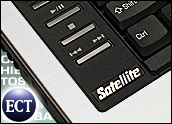
As a writer, I’m partial to good keyboards, and this Toshiba has anexcellent clavier. Its keys are large and not too spongy. It has”Windows” and “Context Menu” keys, in addition to control keys forplaying, pausing and stopping a media player and jumping trackson a CD.
In this age of mammoth media files, users never seem to have enough diskspace. Toshiba’s answer to that problem is putting two hard drives intothe A135s. That’s right — there are two 120 gigabyte ATA serial harddrives in the notebook.
For filling up those hard drives with photos and such, the unit has a5-in-1 reader that can handle Secure Digital, xD, Memory Stick, MemoryStick Pro and MMC cards.
Worried about security? The laptop has a fingerprint reader.
Touchpad on Steroids
No doubt one of the most mundane components of a laptop is its touchpad,but not with these Toshibas. Their touchpads have two modes of operation.
There’s the cursor mode — the one used for traipsing around the screenand scrolling horizontally and vertically within windows.
Then there’s a button mode.
Embossed on the touchpad are six buttons that can be programmed to startan application and a bar for controlling the volume of the unit.
By default, one button launches an e-mail application, another starts up aconfiguration utility, and a third prints documents. The remaining buttons areunprogrammed.
You can bounce between modes by touching a membrane button in a cornerof the touchpad.
This new line of Toshiba notebooks is an excellent value and anvisitable temptation to gadgetphiles thirsting to take Vista for a stroll.
John Mello is a freelance business and technology writer who can be reached at [email protected].








 Loading ...