Digital voice recorders don’t have the flashy visibility of their music-playing brethren, but their utility can’t be denied.
Granted, some digital music players include recording in their repertoire and others can accommodate it with optional add-ons, but for the most part, recording plays second fiddle to playing tunes.
Being the early adopter that I am, I’ve been using digital recorders for some time, and I’ve found them a vast improvement over messing with tape.
Serial Medium
Although the sound quality of the consumer recorders I’ve worked with isn’t as good old-fashioned Mylar, it has always been adequate for my purposes, primarily capturing interviews.
Moreover, digital recordings are just easier to work with than tape.
Tape is a serial medium. Your recording is linear and has to be accessed by moving forward and backward through the tape.
A digital recording is non-linear. Like the data on a hard drive, it can be accessed at any point without processing the data before or after it.
You can also insert index marks in digital files that make it easier to jump to important points in a recording.
And digital files are also easier to share and archive, as well as interface with other computer applications like voice recognition programs that turn the spoken word into the written word.
Professional Model
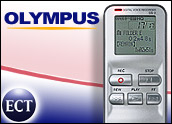
Among the leaders in the makers of digital recorders is Olympus, which has just released a new professional model, the DS-2.
Selling for US$109 to $119 on the Internet, the silver and pewter unit is about the size of a candy bar and weighs a scant 2.8 ounces.
It has a six-line, backlit, monochrome display that measures about 1.2 inches diagonally. Although the LCD appears to have a finer resolution than previous models, the characters are thinner and more difficult to discern.
Information on the display includes battery life, recording mode, folder, recording time and time remaining in memory.
A distinguishing feature of this Olympus model is a built-in stereo microphone. With it, the unit produces some of the most natural sound that I’ve heard in a consumer digital recorder.
Not only does the unit record in the typical sampling frequencies LP (8 kHz), SP (12 kHz) and HQ (44.1 kHz), but also in stereo SP and HQ at 44.1 kHz.
The unit’s resident memory can hold from one hour, five minutes of audio in stereo HQ to 22 hours, 20 minutes in LP.
Includes Software
In addition to the built-in mic, the recorder has a jack for an external microphone.
Recordings can be heard through an earphone jack or the unit’s built-in speaker.
The DS-2 can connect to a computer through a USB port via a dock included with the unit or with a USB cable.
In prior Olympus units, the dock and USB connections were separate ports. In the DS-2, they’re the same port. While this may be less confusing to some consumers, I found coupling the DS-2 to its dock not to be as smooth as the wedding of previous models to their docks.
Olympus includes with the recorder software for managing, editing and playing audio files. The recorder creates audio as Windows media (WMA) or DSS files. DSS is a highly compact file format for audio files.
The Olympus application has a Windows Explorer-type interface. Files can be easily dragged and dropped from recorder to computer or between folders.
Placement of the controls on this Olympus model has been altered slightly for better access.
Easy Navigation
On the front of the unit oversized buttons for record and stop sit side-by-side. Below them are controls for rewind, play and fast forward.
On the right side of the recorder is a rocker button for managing the unit’s volume. There are also controls for creating index points in a file, navigating among folders and erasing files. Those controls also act as navigation buttons for the unit’s menus.
The DS-2 is a classy device that will be especially appealing to consumers who need high quality audio from a digital recorder.
John Mello is a freelance business and technology writer who can be reached at [email protected].






 Loading ...