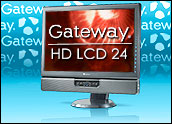
Monitor size is like real estate. You can never get enough of it. That’s what I thought until I got a gander at Gateway’s mammoth 24-inch HD LCD flat-panel display. Working with this monitor is like computing on a billboard.
Once I got my bearings — I’m used to using a 17-inch LCD, so the transition to this behemoth was like being plopped in the middle of the Atlantic in a 14-foot Catboat — the first thing I noticed was how bright the screen was, even through my tinted computer glasses. I had to turn the brightness down to almost zero before the display became comfortable to look at.
In addition to its horizontal configuration, the unit can be tipped 90 degrees and viewed vertically. Don’t like scrolling through long Web pages? Just tip this puppy on its side and view the pages in portrait mode.
Exploding Colors
The monitor’s sharpness was very impressive, too. Text was very tight and distinctive on the screen. At its native resolution — a whopping 1920-by-1200 pixels — even the tiniest fonts were extremely well-defined. The definition is as close to print as anything I’ve seen on a computer screen.
Colors on the display were arresting. They didn’t just pop; they exploded.
Controls for the display are located on the right side of its frame. In a nice touch of design lan, the controls remain invisible until activated by touch. When they’re activated, they turn a bright cobalt blue.
Choosing Themes
With the controls, you can choose a “theme” for the monitor. Themes are like presets in a digital camera. They are pre-configured settings optimized for types of video viewing.
You can choose the movie theme, for instance, to automatically configure the unit’s brightness, contrast and color temperature to best show movies on the display.
Other themes include games, pictures, Web surfing, warm, cool and “user,” a configuration you can personalize to suit your own taste.
There are also controls for cycling through the monitor’s inputs, automatically adjusting the monitor’s image for the best look, turning on the unit’s picture-in-picture feature and calibrating it, and accessing the device’s main menu.
Few Adjustments Needed
When the main menu control is held down for three seconds, a guided tour of the hardware pops up on the screen. It’s a pleasing way to get a quick start with the display.
The main menu lets you fine-tune various aspects of the display. You can manually adjust the brightness, contrast and gamma of the unit. The user can, for example, make RGB adjustments or adjust the image size and minimize distortion.
I didn’t find it necessary to make any adjustments to the monitor out of the box, other than pressing the “auto” control.
On the TV side, the unit supports composite and component video and has an S-video jack.
For computers, it supports both VGA and DVI display cards. Most computers have VGA cards in them, but newer PCs and Apple computers support the more state-of-the-art digital interface.
USB Hub
The monitor can also serve as a USB hub for your computer. You plug the unit into one USB port on your computer, and you can use the four USB 2.0 ports on the monitor.
Two of the ports are on the back of the display, which I found inconvenient to use. The two on the left side of the unit were more accessible, but it seems to me that front-side access would have been best of all.
Physical considerations may have ruled out that possibility, though. The display is designed to accept an optional speaker bar (US$69.99), which fits under the display.
The compact unit has six speakers which use Neodymium magnet technology to create clean, high-volume sound with an exceptional dynamic range.
Some useful additions come with the sound bar. It has dual headphone jacks, a microphone pass-through for voice applications and an additional input for audio from a secondary device like a digital music player.
At $679.99, this Gateway TV-monitor combo costs nearly as much as my desktop computer, but it’s definitely an outstanding solution to any screen real-estate problems you may have.
John Mello is a freelance business and technology writer who can be reached at [email protected].









 Loading ...